Drift alerts
Article title 'Team Pronunciation Libraries' does not match body content (entirely about Workspaces)
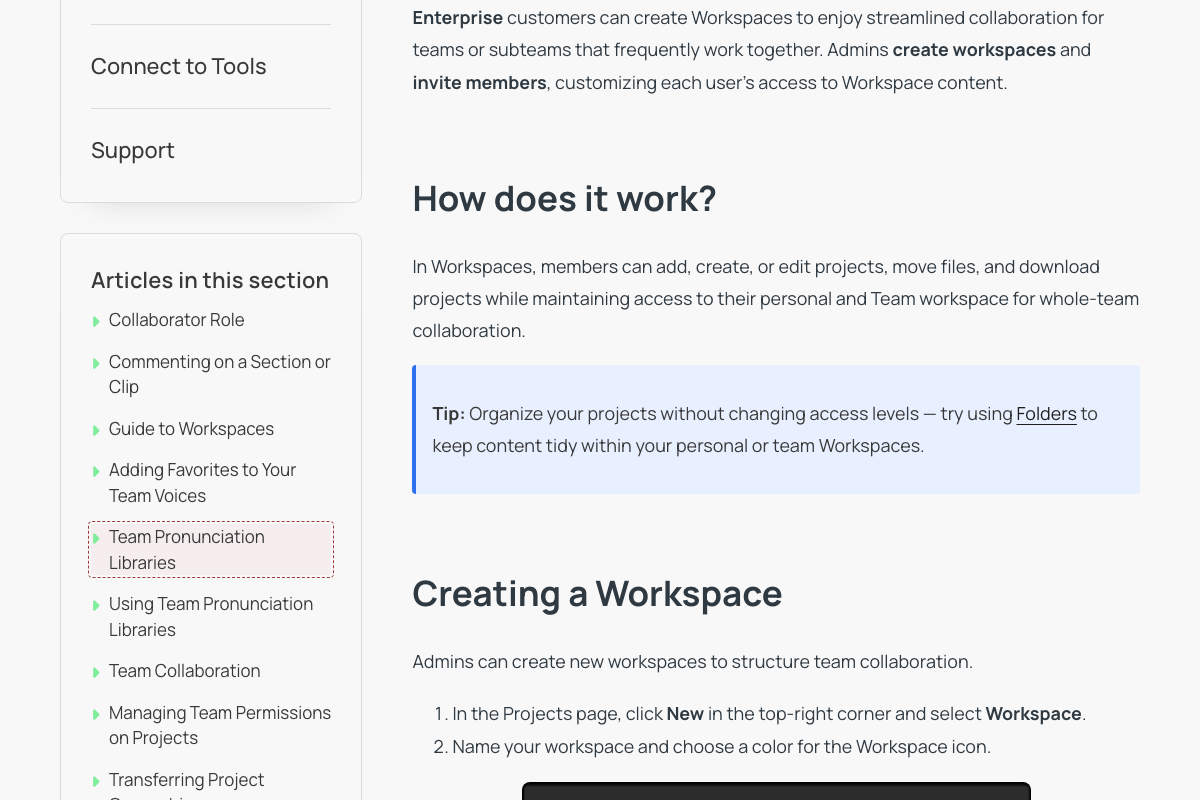
Article body has no mention of pronunciation, respellings, or Replacement Library; every section ('What are Workspaces?', 'Creating a Workspace', 'Adding Team Members to a Workspace', 'Editing or Deleting a Workspace', and all FAQs) is Workspaces content.
Outdated access-level labels 'Full Access' / 'View Only' (now 'Can edit' / 'Can view')
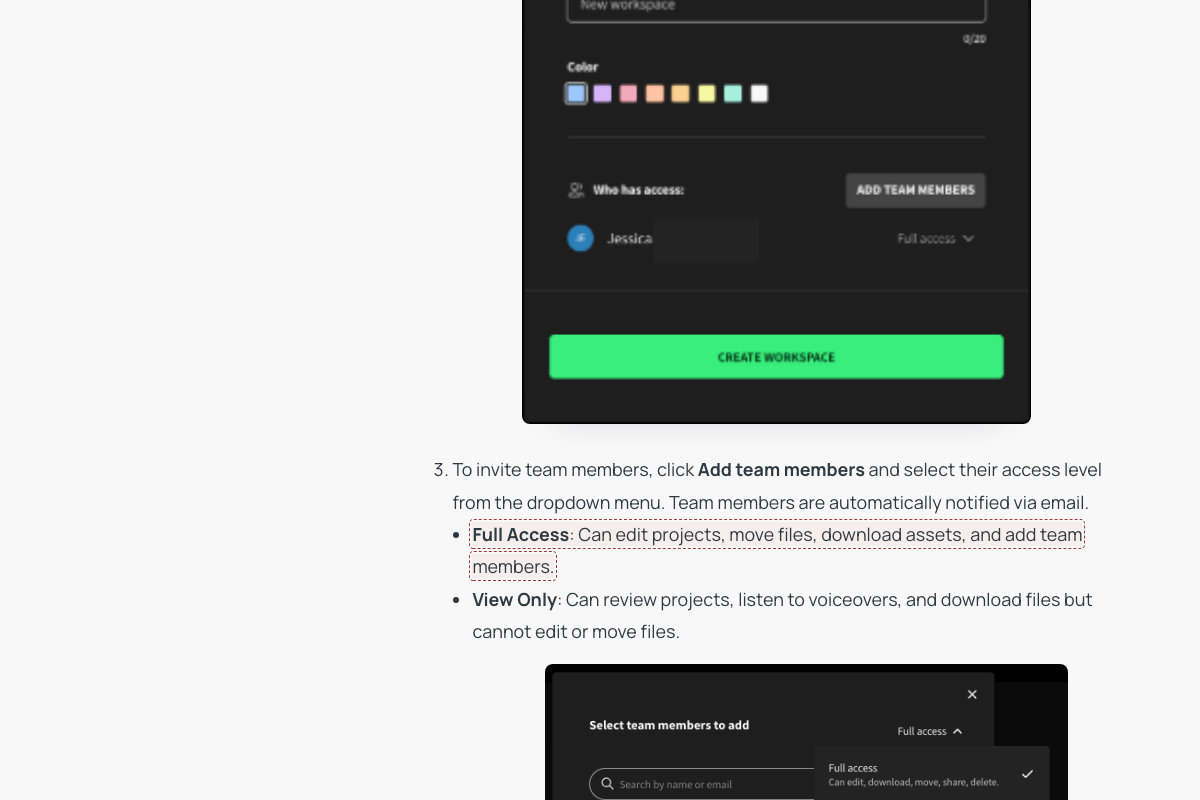
View Only: Can review projects, listen to voiceovers, and download files but cannot edit or move files.
Established WellSaid drift pattern (CLAUDE.md task context): 'Can view' / 'Can edit' access labels — was 'View Only' / 'Full Access'.
Article refers to 'voice avatar image' — product uses 'Voices'
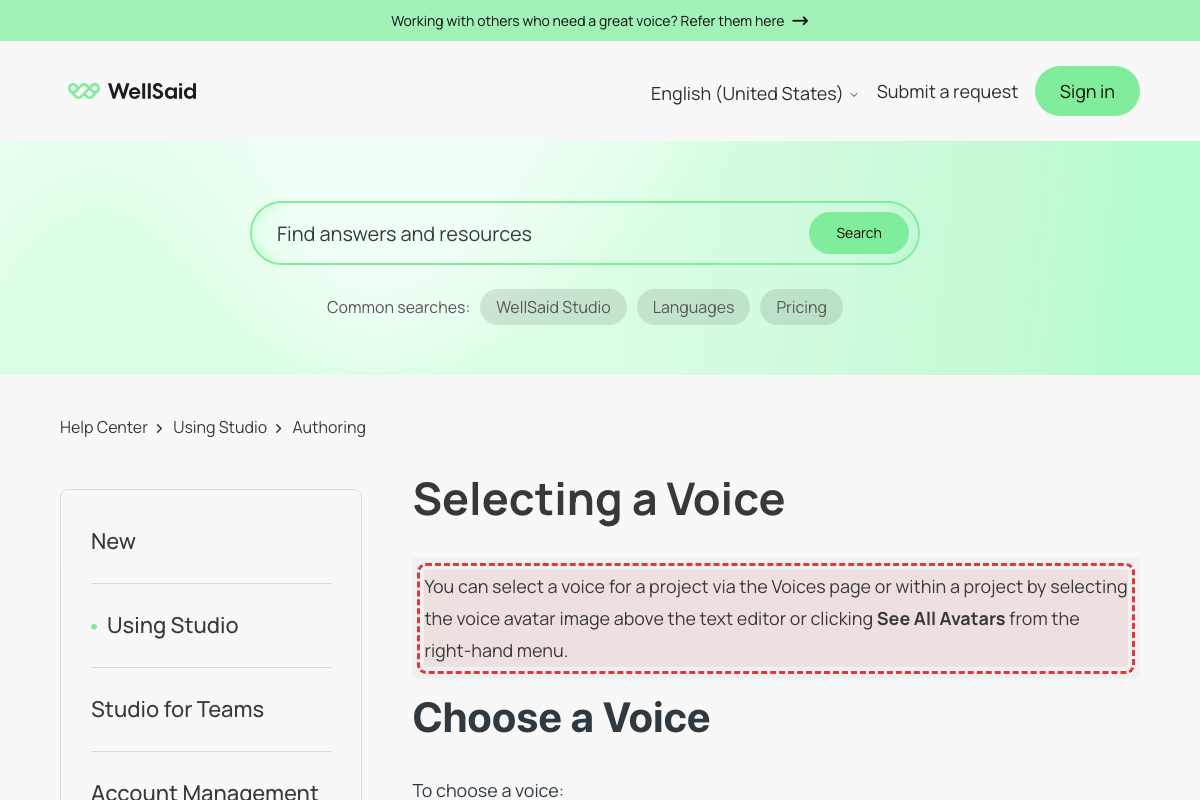
WellSaid has renamed all 'Avatar' references to 'Voices' throughout the product UI. [Mode B UI audit: CONFIRMED: Voice cards show name + Play/Favorites/Use buttons, no 'voice avatar image']
Article says 'Voice Library' — dialog is now titled 'Voices'
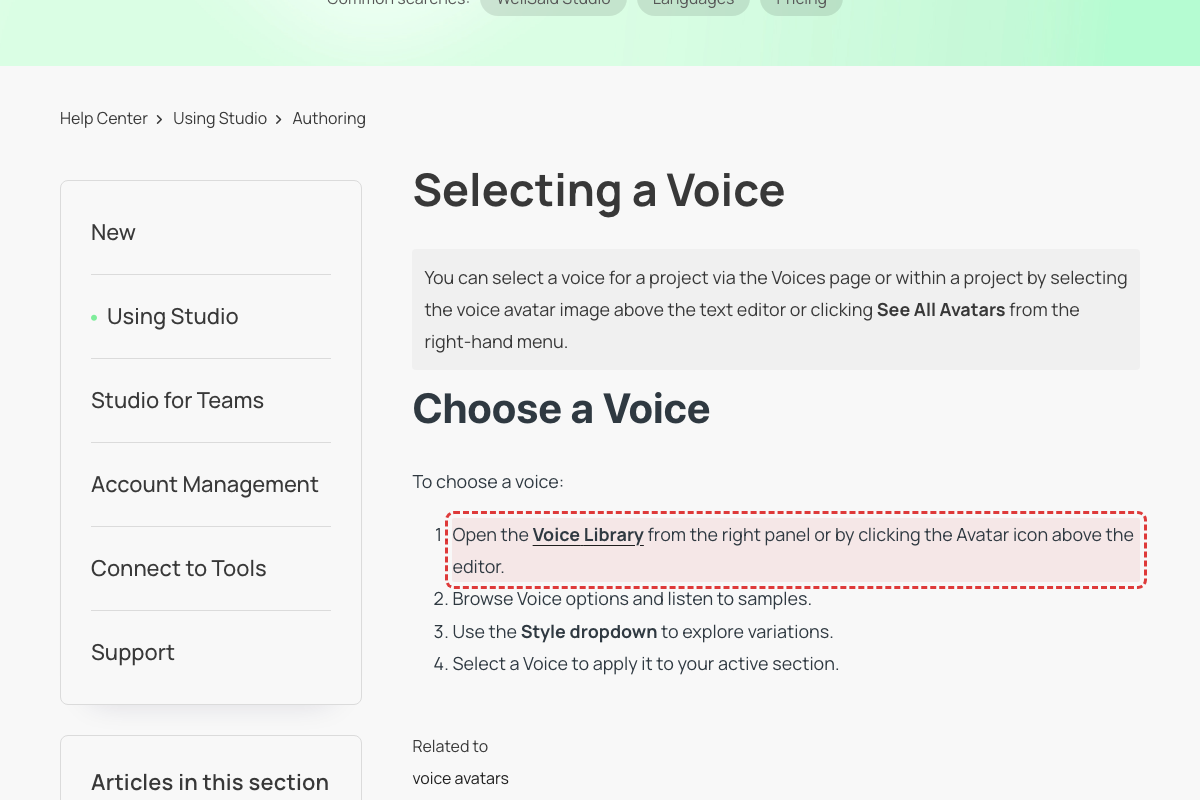
Live Studio UI (April 2026) shows voice selection panel titled 'Voices' with tabs: Explore, Favorites, Team voices. [Mode B UI audit: CONFIRMED: Nav says 'Voices', no 'Voice Library' label]
Article says 'Voice Library' — now 'Voices'
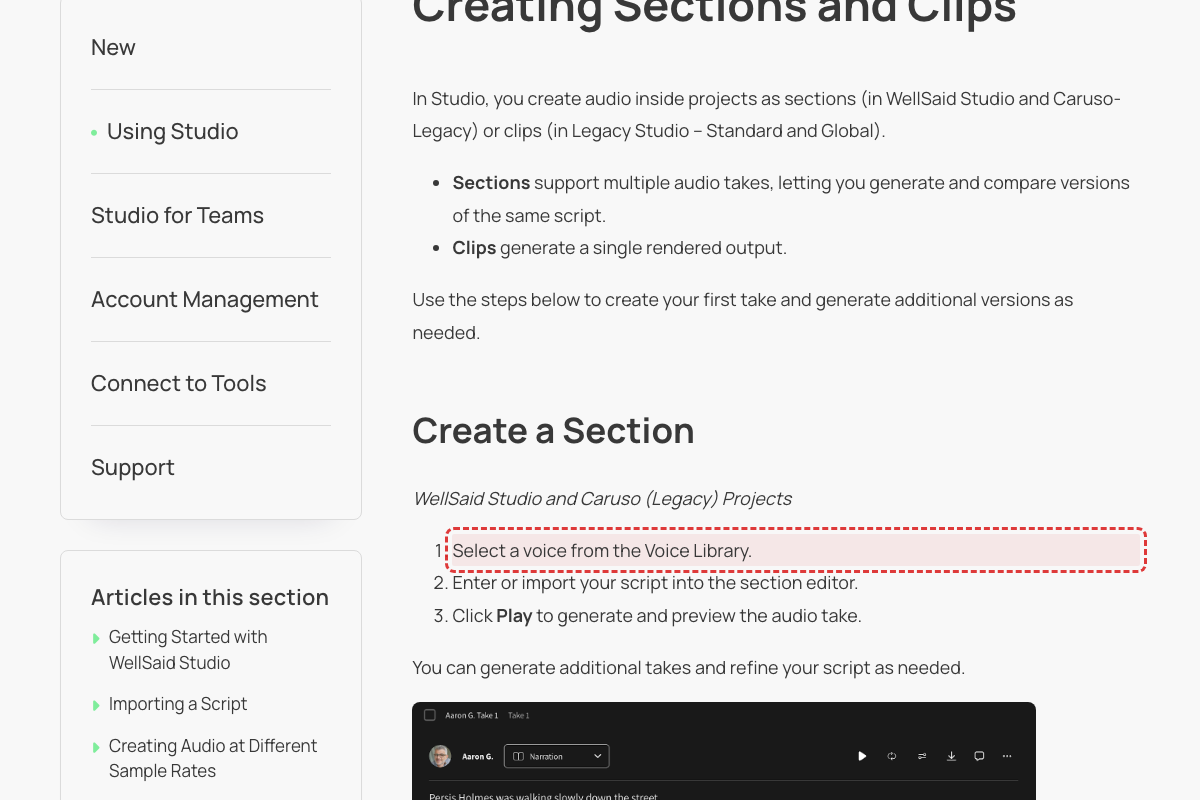
Voice selection panel now titled 'Voices'. [Mode B UI audit: CONFIRMED: Studio editor has no 'Voice Library' — voice selection is inline]
Favoriting uses heart icon, not 'vertical ellipses (three dots)'
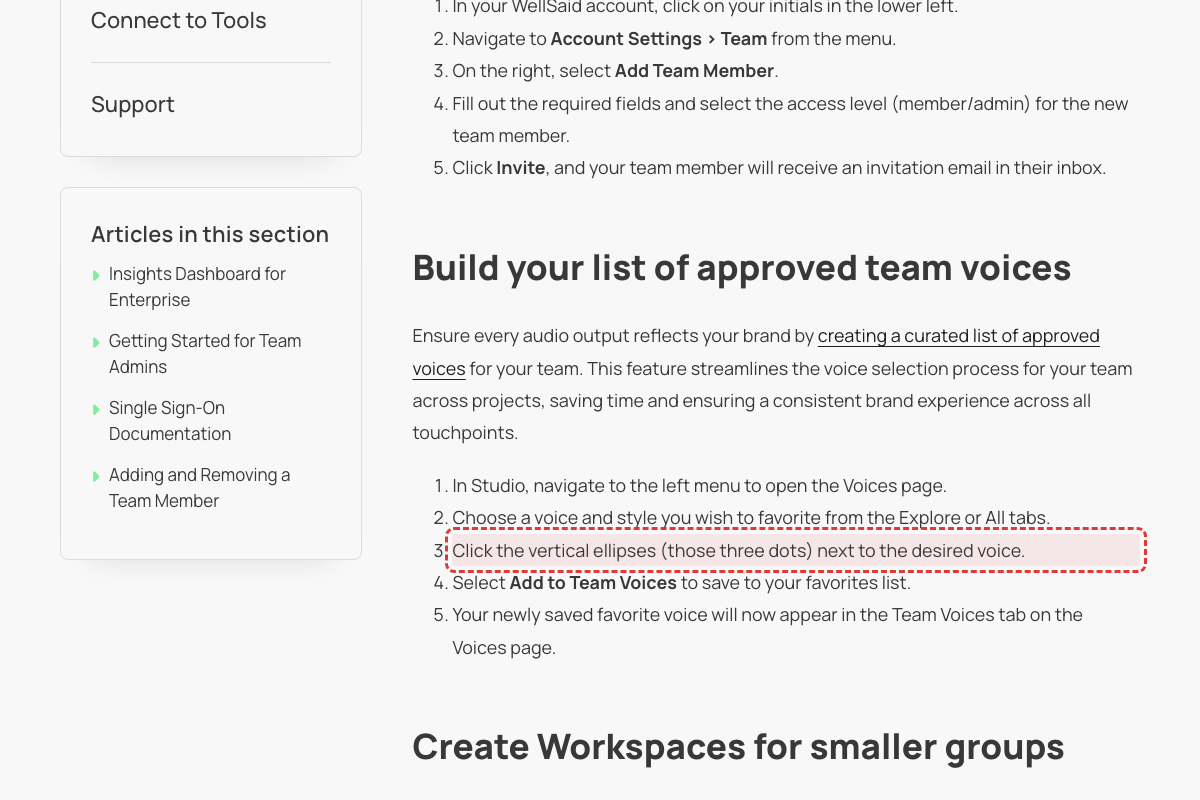
Live Voices panel uses heart icon for favoriting, not three-dot menu. [Mode B UI audit: CONFIRMED: 'Save to favorites' text button, no 'vertical ellipses']
Incorrect ISO country code for Danish voices
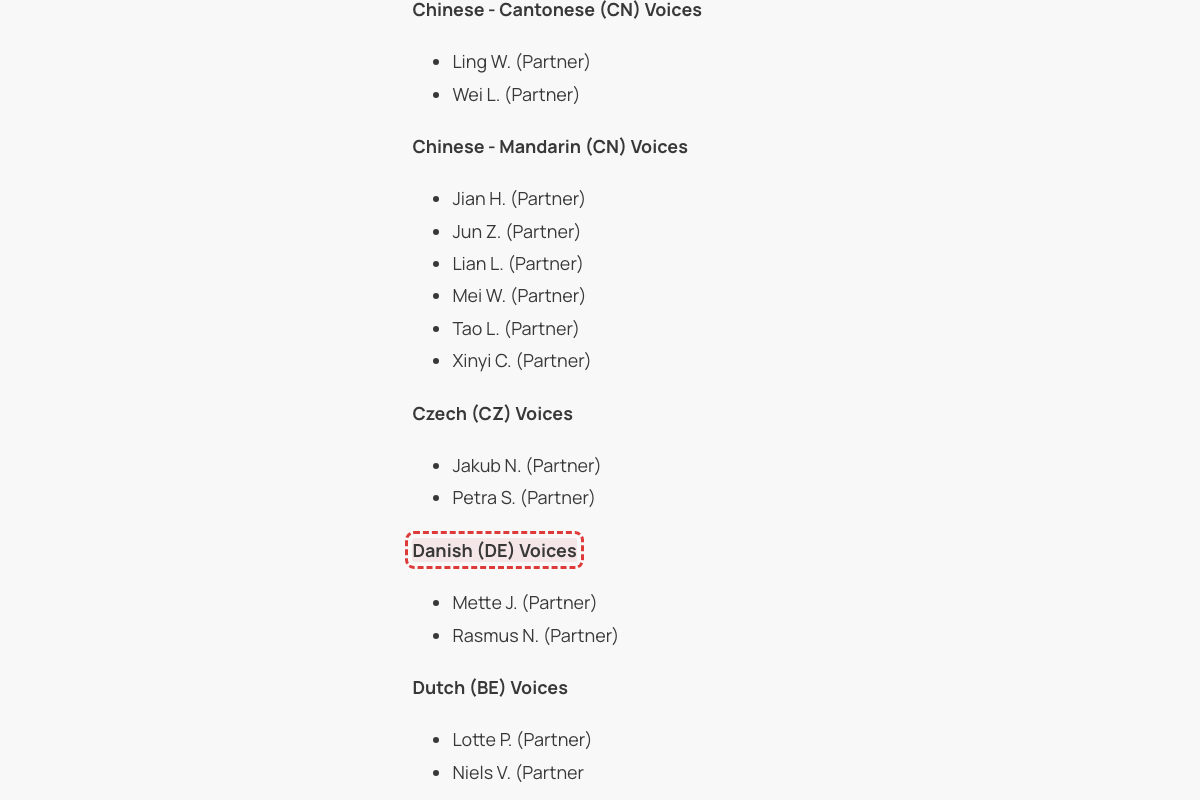
ISO 3166-1 alpha-2 code for Denmark is DK, not DE. DE is the code for Germany. The page incorrectly uses DE which is the ISO code for Germany, not Denmark. [Mode B UI audit: CONFIRMED: Dropdown shows 'Danish (Denmark)', ISO code DK not DE]
References 'Canva project' but article is about Adobe Express integration
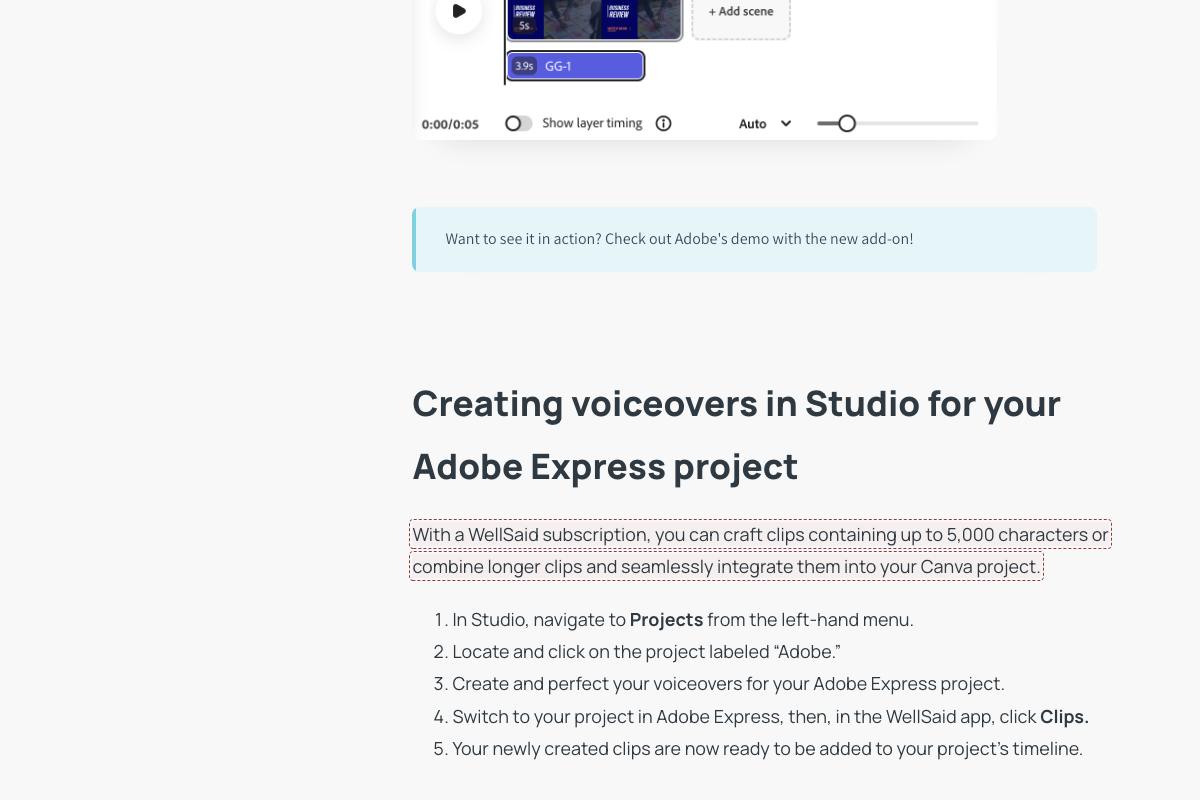
The entire article is titled 'WellSaid Studio for Adobe Express' and focuses on Adobe Express integration. The page describes the Adobe Express add-on workflow. The mention of 'Canva' appears to be a copy-paste error from documentation for a different platform or product. Canva is a separate design platform, not Adobe Express.
Team Voices article says 'bookmark icon' but live UI and other articles say 'heart icon'
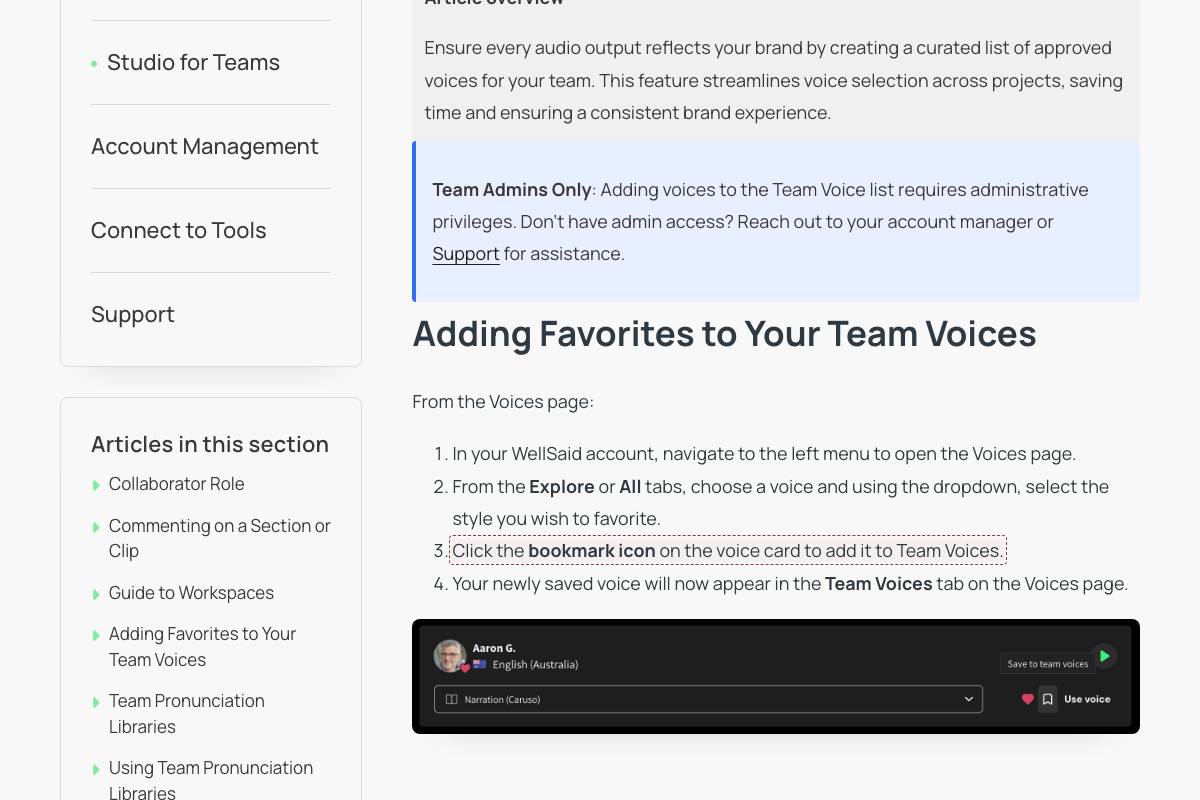
Three sources confirm the heart icon: (1) The 'Favoriting a Voice' article (updated 2026-04-17) says 'Click the heart icon on the voice card to add it to Favorites.' (2) The 'Getting Started with WellSaid Studio' article (updated 2026-04-15) says 'Save frequently used Voices by clicking the heart icon on the voice card.' (3) The previous scan's UI audit (carried-forward issue on 'A Hub, for All Your Voices') confirmed the live Studio uses a heart icon for favoriting/unfavoriting. The 'Adding Favorites to Your Team Voices' article (also updated 2026-04-17) uses 'bookmark icon' which contradicts all three sources. [Mode B UI audit: CONFIRMED: Button says 'Save to favorites' (text), not bookmark or heart icon]
Combine feature claimed to be 'only available in Standard' but Release Notes indicate it's for Caruso
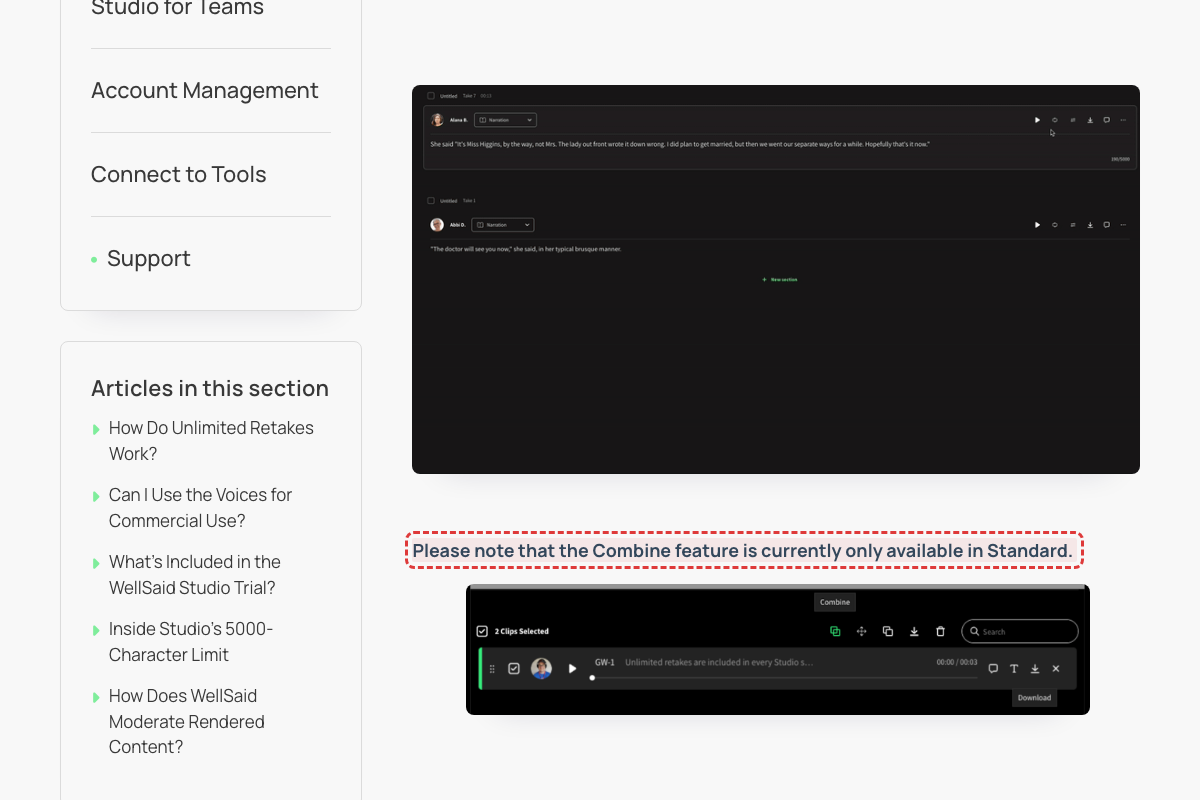
Release Notes (February 2026) state under December 2025: 'You can now combine multiple rendered sections into a single audio file—directly in a Caruso project.' The Caruso model is the modern, recommended model for WellSaid Studio (distinct from legacy Standard model). Page 7's claim appears to reference outdated information or an earlier product configuration.
Typo 'orignal' instead of 'original' in Pronunciation Best Practices
The word 'orignal' in the 'Create a Text Replacement' section is a clear misspelling of 'original'. This typo exists in the current crawled text (updated 2026-04-18).
All-caps button label 'Create Workspace' (current UI is title-case 'Create workspace')
Established drift pattern: title-case buttons replaced all-caps ('CREATE WORKSPACE' → 'Create workspace'). Article uses title-case-each-word style which still capitalizes 'Workspace'; current UI sentence-cases the second word.
Button label 'Add Team Members' uses old casing (current UI is sentence-case 'Add team members')
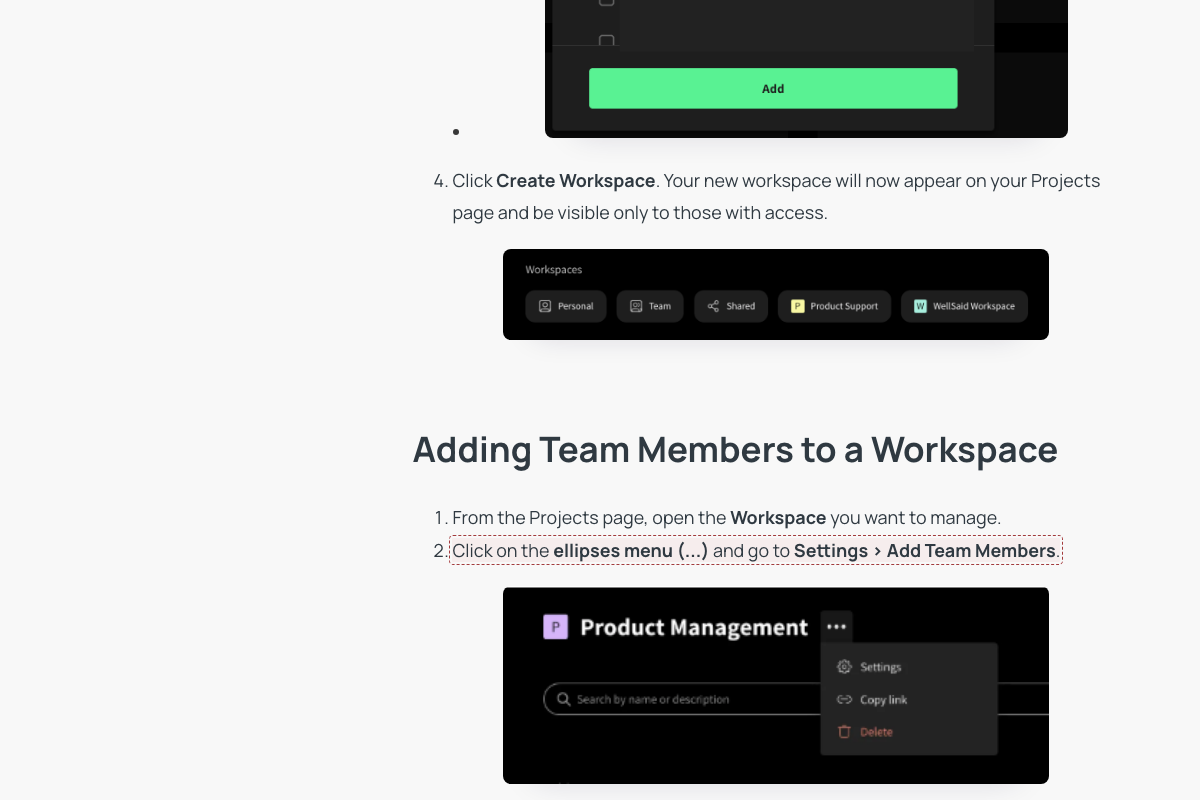
Established drift pattern: 'ADD TEAM MEMBERS' → 'Add team members' (sentence-case). Article inconsistently uses both 'Add team members' (correct) and 'Add Team Members' (drifted) in the same section.
Incomplete language support list for script import
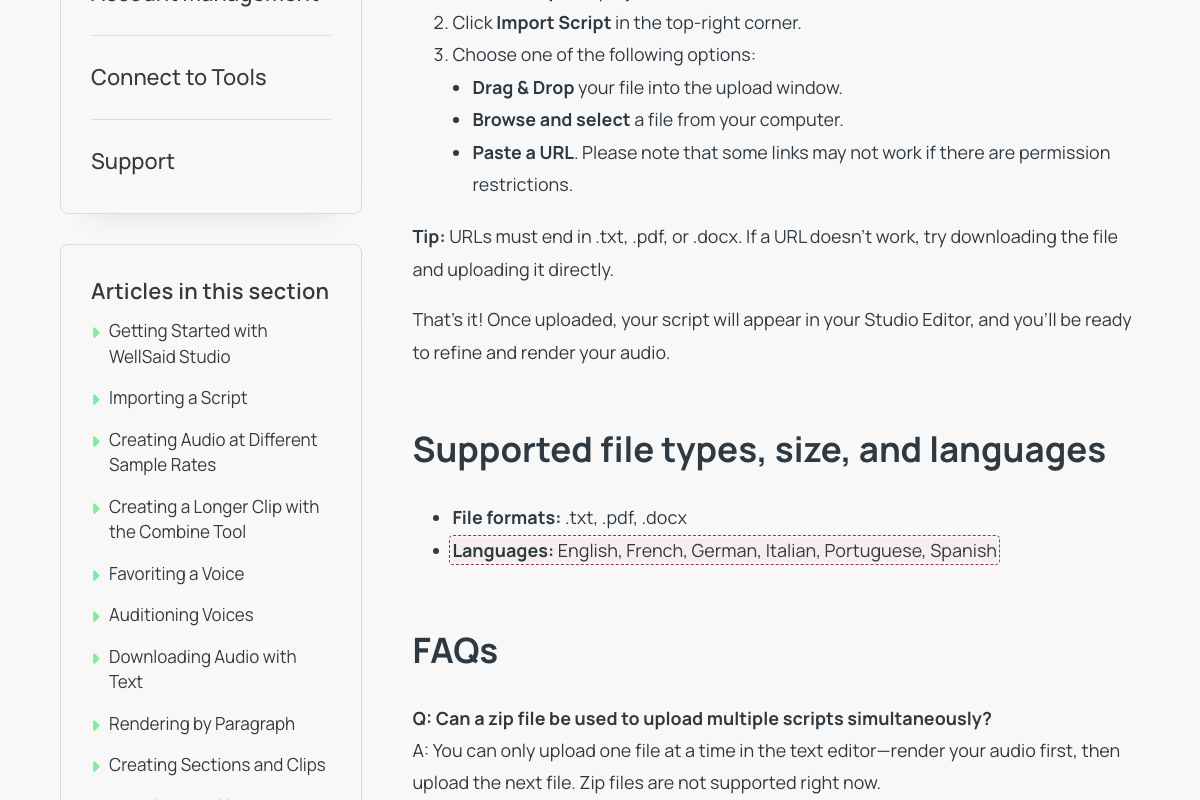
The article lists 6 supported import languages (English, French, German, Italian, Portuguese, Spanish). WellSaid supports 15+ languages for TTS synthesis including Arabic, Japanese, Korean, etc. However, script import may intentionally be limited to Latin-script languages due to text processing constraints. Cannot verify without testing the import feature directly.
'SEE ALL AVATARS' button — 'Avatars' renamed to 'voices'
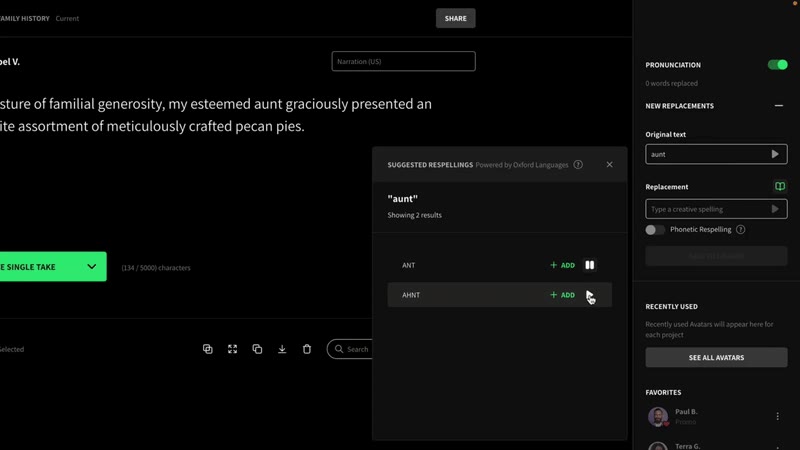
Current UI uses 'voice(s)' terminology (e.g., 'See all voices')
Rubric: Avatar(s)/SEE ALL AVATARS -> voice(s) is WARNING across all modes
Projects home shows 'NEW PROJECT' button (renamed to '+ New')
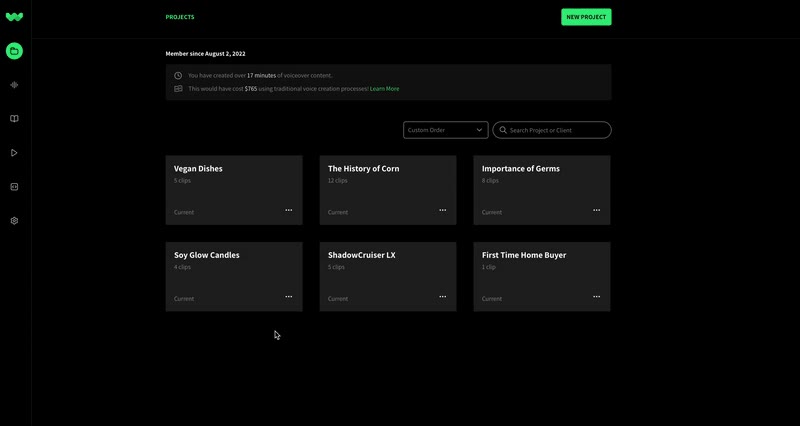
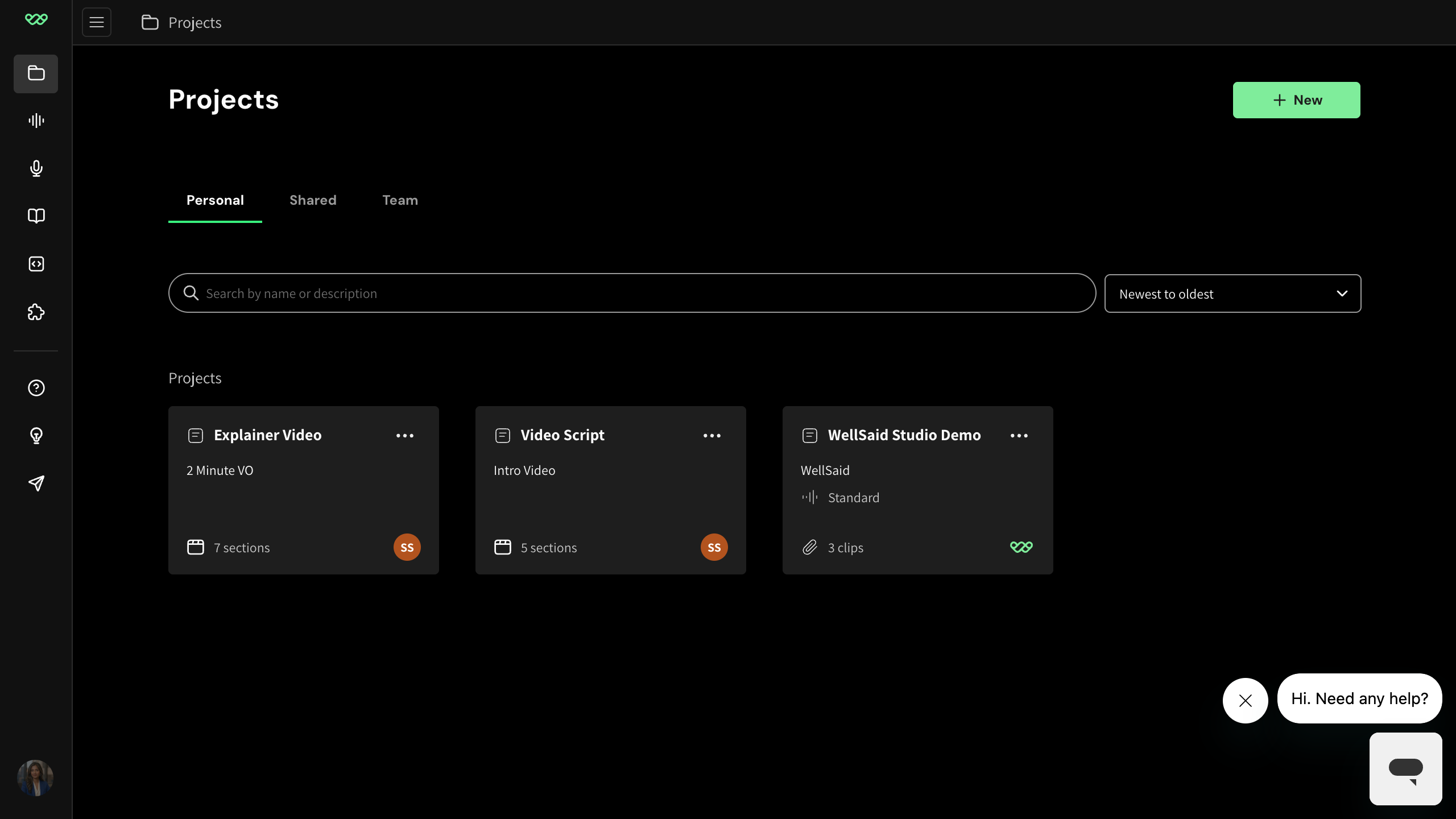
Button is now labeled '+ New' (see reference projects-home.png)
Reference projects-home.png shows '+ New' in the top-right; rubric lists NEW PROJECT -> + New as warning drift
Right-rail labeled 'PRONUNCIATION' — renamed to 'Replacements'
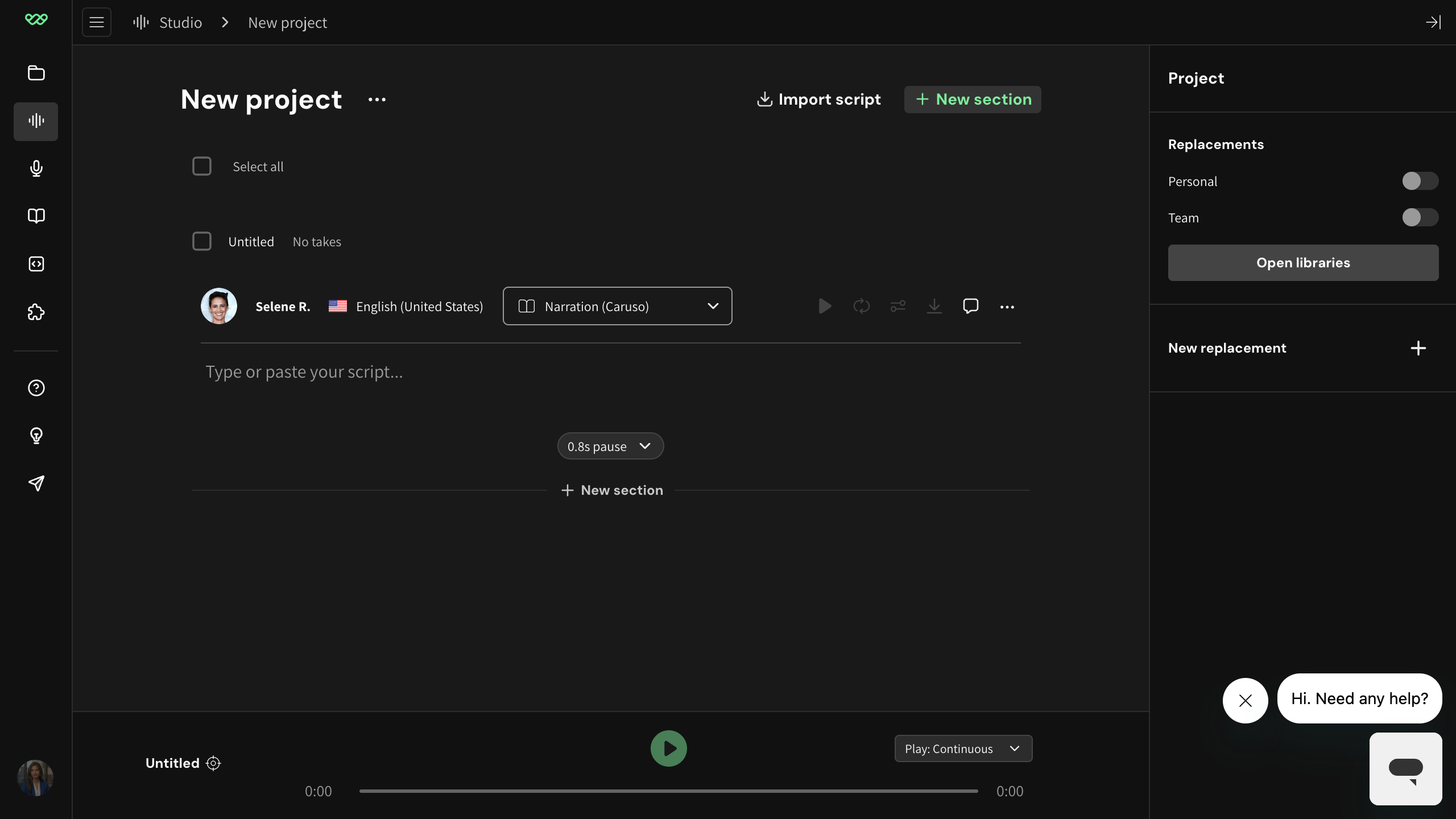
Current UI uses 'Replacements' as the top-level rail label
Rubric: PRONUNCIATION rail is truly removed; PRONUNCIATION -> Replacements is a WARNING across all modes
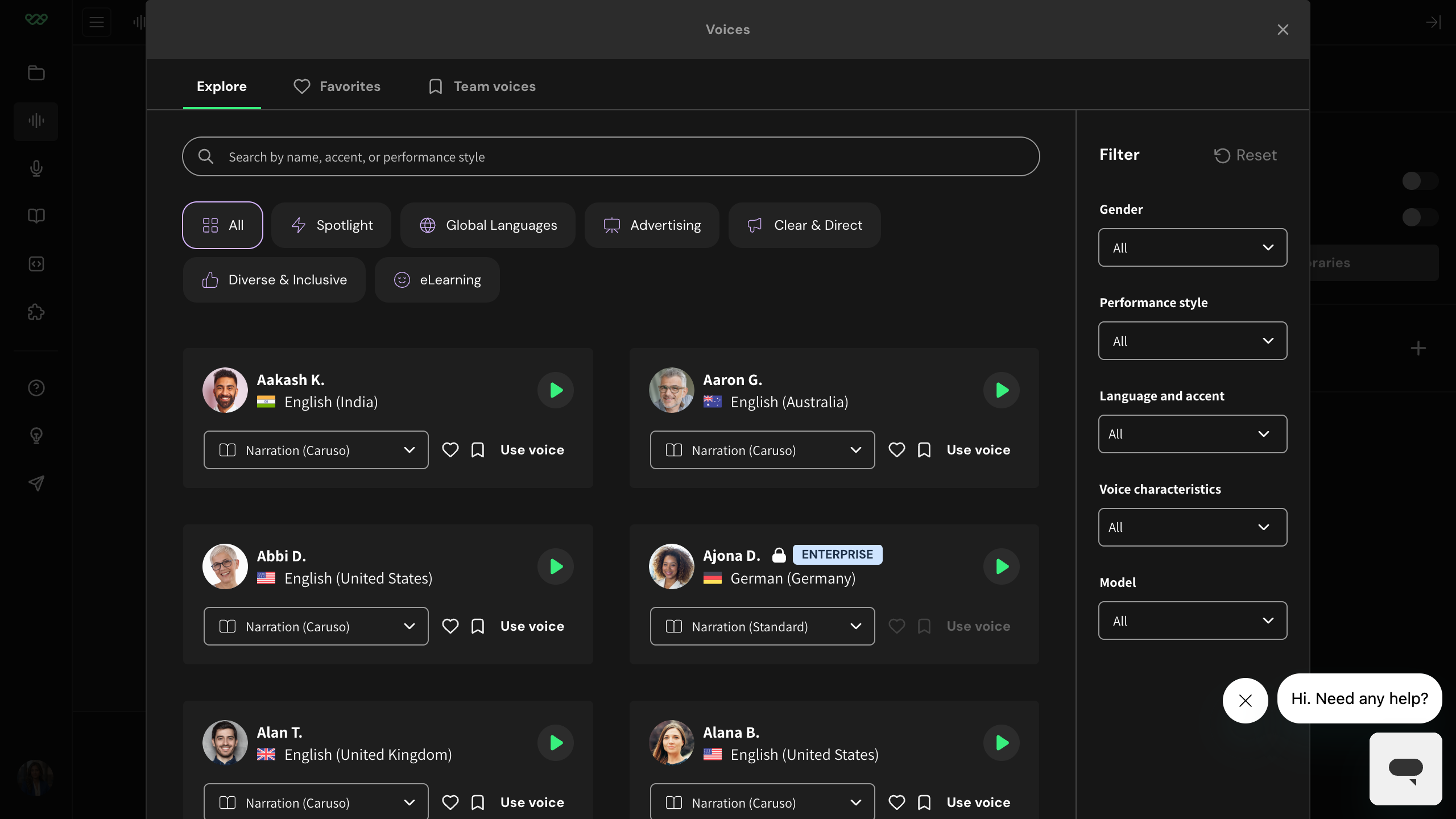
Voice library category tab labeled 'New!' instead of 'Spotlight'
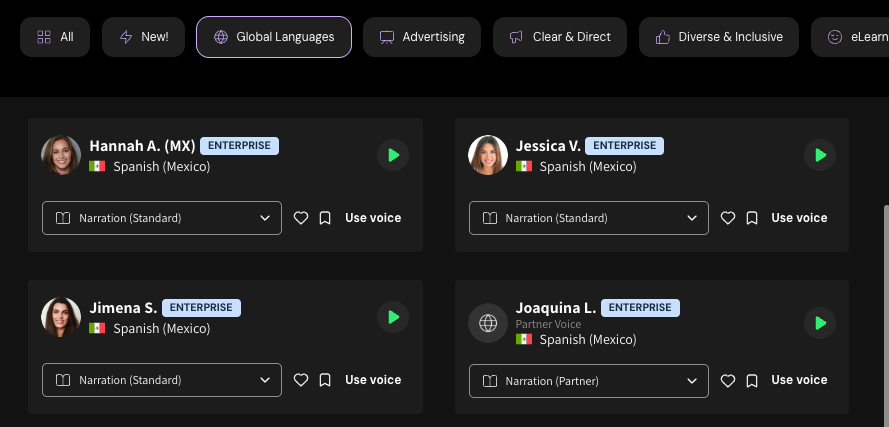
The 'New!' category tab has been renamed to 'Spotlight' in the current Voices modal. The screenshot should be re-captured showing the 'Spotlight' chip.
Reference library image voice-picker-modal.png shows the current Voices modal with chips: All, Spotlight, Global Languages, Advertising, Clear & Direct, Diverse & Inclusive, eLearning. The article screenshot still shows 'New!' in place of 'Spotlight'.
Article uses deprecated term 'avatars' instead of 'voices'
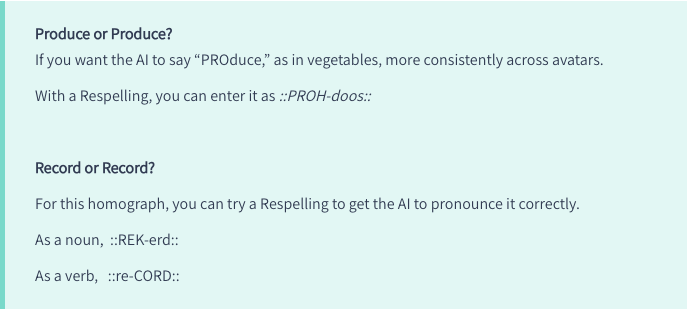
Replace 'avatars' with 'voices' — product-wide rename. Suggested rewrite: '...more consistently across voices.'
The reference library confirms 'avatar' / 'Avatars' / 'SEE ALL AVATARS' have been renamed to 'voice' / 'voices' / 'See all voices' across the product (right-rail-voices.png, voice-picker-modal.png). The article body for this page also reuses the phrase 'the way all avatars say a word', reinforcing the outdated terminology.
Voice picker shows 'New!' filter chip instead of 'Spotlight'
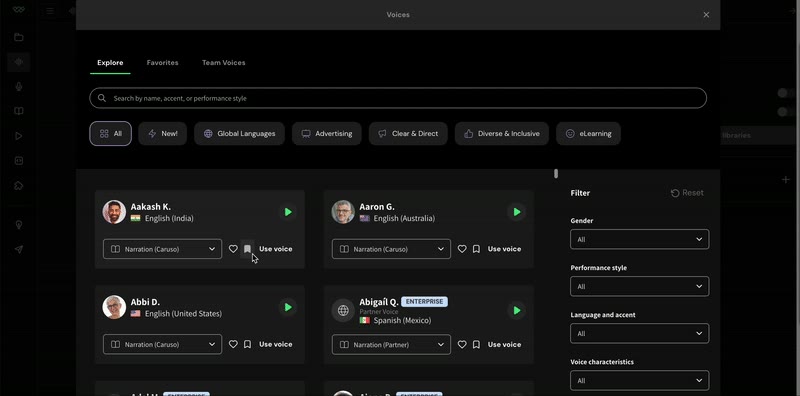
Rename/recapture: the current live UI uses 'Spotlight' as the filter chip label in the Voices picker.
Reference voice-picker-modal.png and right-rail-voices.png (scope:all) show 'Spotlight' as the chip label. The article screenshot still shows the legacy 'New!' label, which is renamed terminology drift.
Callout uses legacy term 'avatars' instead of 'voices'

Update 'avatars' to 'voices' to match current Studio terminology (e.g., 'use amongst all your voices').
Current WellSaid Studio UI uses 'voices' throughout (right-rail 'Voices', 'See all voices', 'Use voice' buttons shown in reference library). Per rubric, Avatar(s) -> voice(s) is a warning across all modes.
Project card shows outdated 'Caruso (Beta)' label for a model no longer in beta
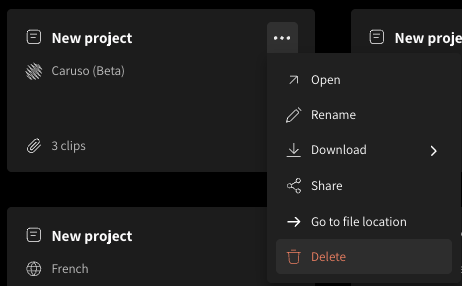
Caruso is no longer a beta feature; it is a production model. Project types on the live product are 'WellSaid Studio', 'Legacy Studio - Standard', and 'Legacy Studio - Global'. The 'Current / Future BETA' designation has been removed in all modes per the drift rubric.
Drift rubric states 'Current / Future BETA dropdown gone in all modes'. Article 40960191236371 (Sample Rates) and others now describe Caruso as 'our most advanced model' without beta qualification. Article 39122054203795 lists current project types as 'WellSaid Studio (Recommended)' and 'Legacy Studio - Standard and Global' with no beta label.
Screenshot shows legacy 'MY LIBRARY' page with green 'NEW WORD' button that no longer exists
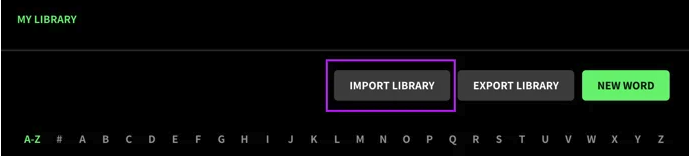
Article body references navigating to 'Pronunciation from the left menu' but live Studio left-nav now uses 'Libraries' (see right-rail-voices.png reference showing 'Open libraries' and 'New replacement' instead of 'New word'). Related article 39113078033555 text explicitly says 'select New Replacement' when adding from the library, confirming the current button label.
Voices modal tabs drifted: 'EXPLORE / ALL / FAVORITES' no longer matches current 'Explore / Favorites / Team voices'
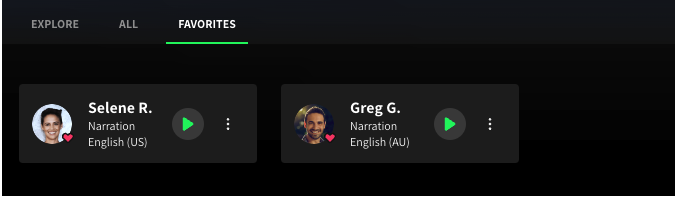
Current Voices modal uses title-case tabs 'Explore | Favorites | Team voices' (no 'All' tab). Voice cards now include country flag, 'Narration (Caruso)' model chip, heart + bookmark icons, and a 'Use voice' CTA.
Reference voice-picker-modal.png (captured 2026-04-23) shows tabs 'Explore / Favorites / Team voices' in title case with no 'All' tab; voice cards include flag, model chip, heart/bookmark, and 'Use voice' CTA. The article body even says 'From the Explore or All tabs' — a reference to a tab that no longer exists.
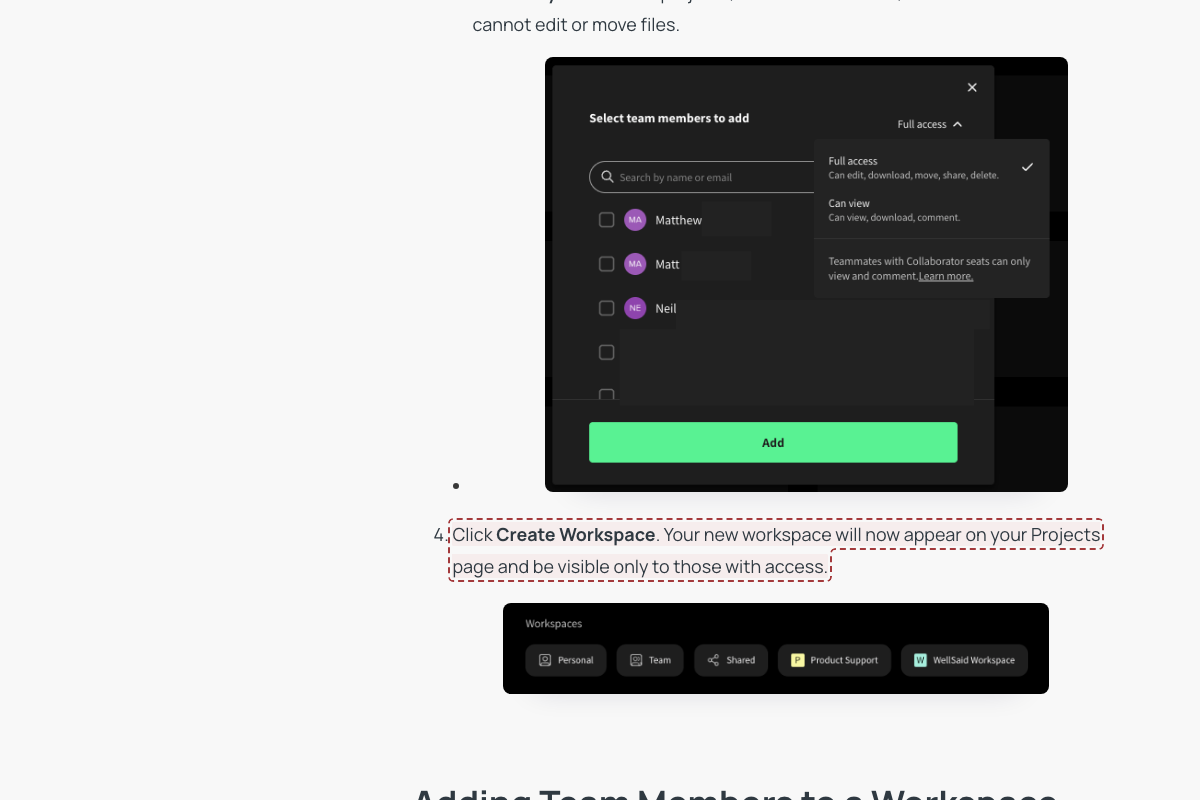
Access-level labels changed from 'View Only' to 'Can view'
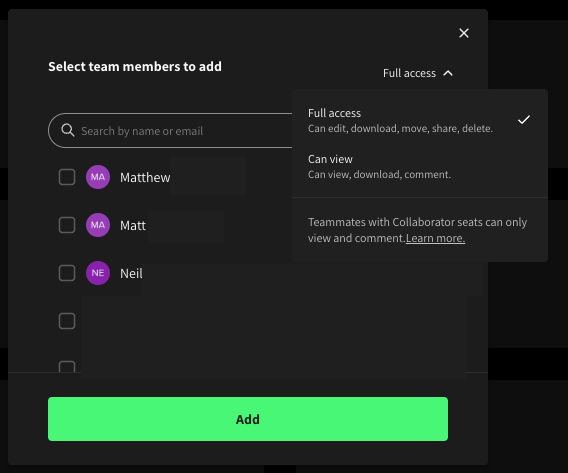
Article copy should be updated: access level is 'Can view' (not 'View Only'); description 'Can view, download, comment.' (not 'Can review projects, listen to voiceovers, and download files but cannot edit or move files')
Screenshot 'Select team members to add' modal shows dropdown options 'Full access / Can view' with descriptions 'Can edit, download, move, share, delete' / 'Can view, download, comment.' — does not match article's 'View Only' label.
Pronunciation Library screenshot shows outdated 'MY LIBRARY' page with alphabetical index and old button labels
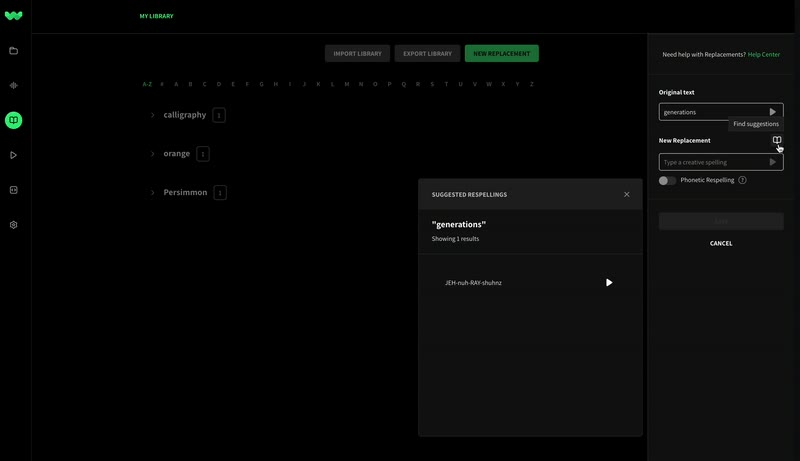
Article body says 'Head to the Library from the left-hand menu' and references the 'Replacements panel' and 'Replacement toolbar'. Reference right-rail-voices.png shows 'Replacements' header with an 'Open libraries' button and no alphabetical 'MY LIBRARY' view. Terminology rubric: 'PRONUNCIATION' right rail gone, replaced with 'Replacements'.
Project cards display 'Current' voice-model badge that has been removed
The Current/Future BETA selector was removed; project cards now show workspace/section count (e.g. '7 sections', '3 clips') with no 'Current' label
Rubric: 'Current/Future BETA dropdown -> warning (truly removed)'. Reference projects-home.png has no 'Current' label on cards.
Import dialog titled 'Import phonetic library' — outdated naming
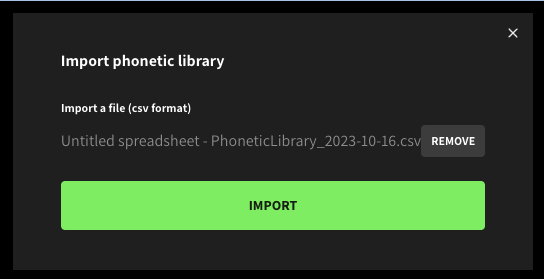
Per rubric PRONUNCIATION was renamed to Replacements across the product; article still uses 'Pronunciation Library'. The screenshot's 'phonetic library' wording is older than both.
Account settings shown as horizontal tabs; article says left menu
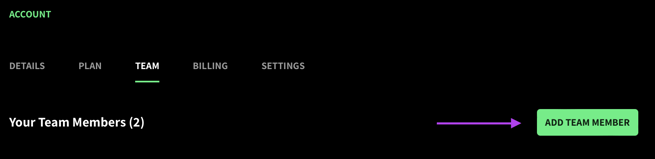
Article body directs user to 'Account Settings > Team' via initials in lower-left menu — current Account Settings is a left-rail menu layout, not horizontal tabs
Article instructs navigation via 'navigate to your initials in the lower left and then to Account Settings > Team'. The horizontal-tabs layout in this screenshot is the older Account UI.
Account Settings shown as horizontal tabs; article says left menu
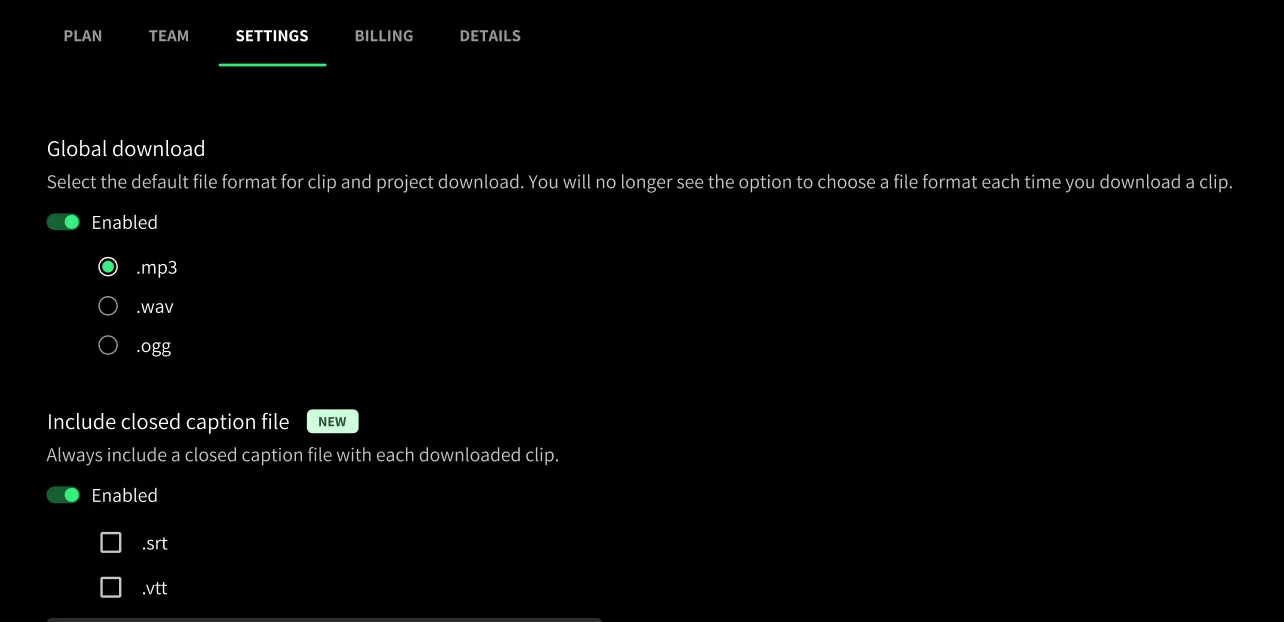
Article says 'Select Account Settings > Settings from the left menu' — current Account Settings uses a left-rail menu, not horizontal tabs
Article's 'from the left menu' instruction and the new Insights dashboard article both confirm the current Account Settings layout uses left-menu navigation. Horizontal-tabs Account page is older UI.
Screenshot shows pre-2026 Studio editor (no sidebar, all-caps 'CREATE', 'Latest' model dropdown)
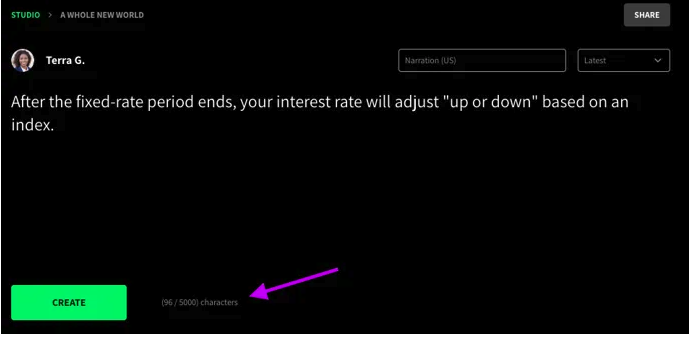
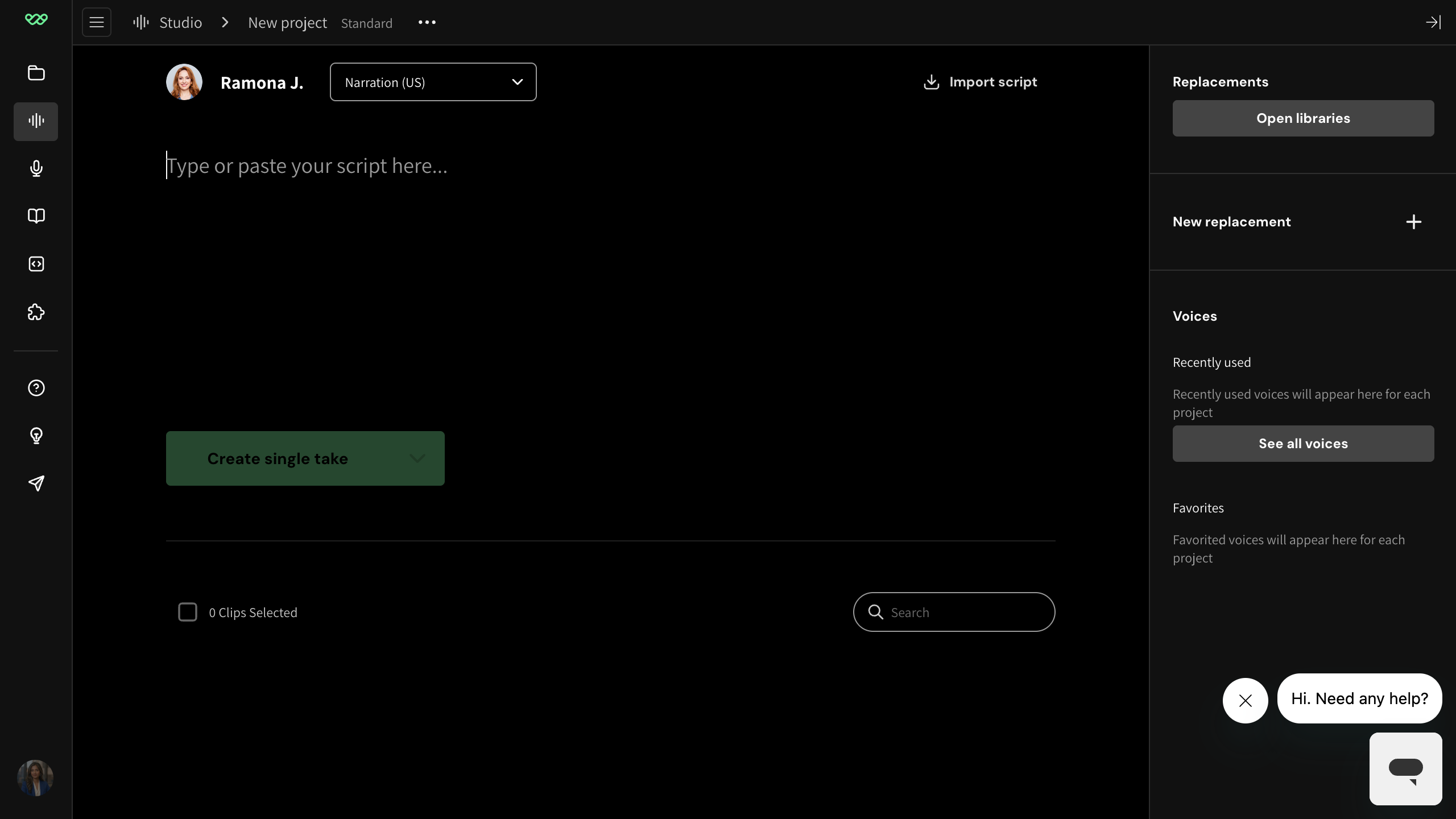
Current Legacy Standard UI uses title-case 'Create single take' button (per legacy-standard-editor ref); WellSaid Studio uses inline section play icon. 'Latest' model dropdown is no longer part of the voice header.
Compared to legacy-standard-editor ref: current Legacy shows a title-case 'Create single take' button with dropdown caret and a right-rail Replacements+Voices. Screenshot predates both Legacy and new Studio layouts.
Workspace modal buttons use all-caps vs article's title case
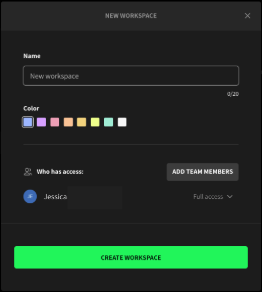
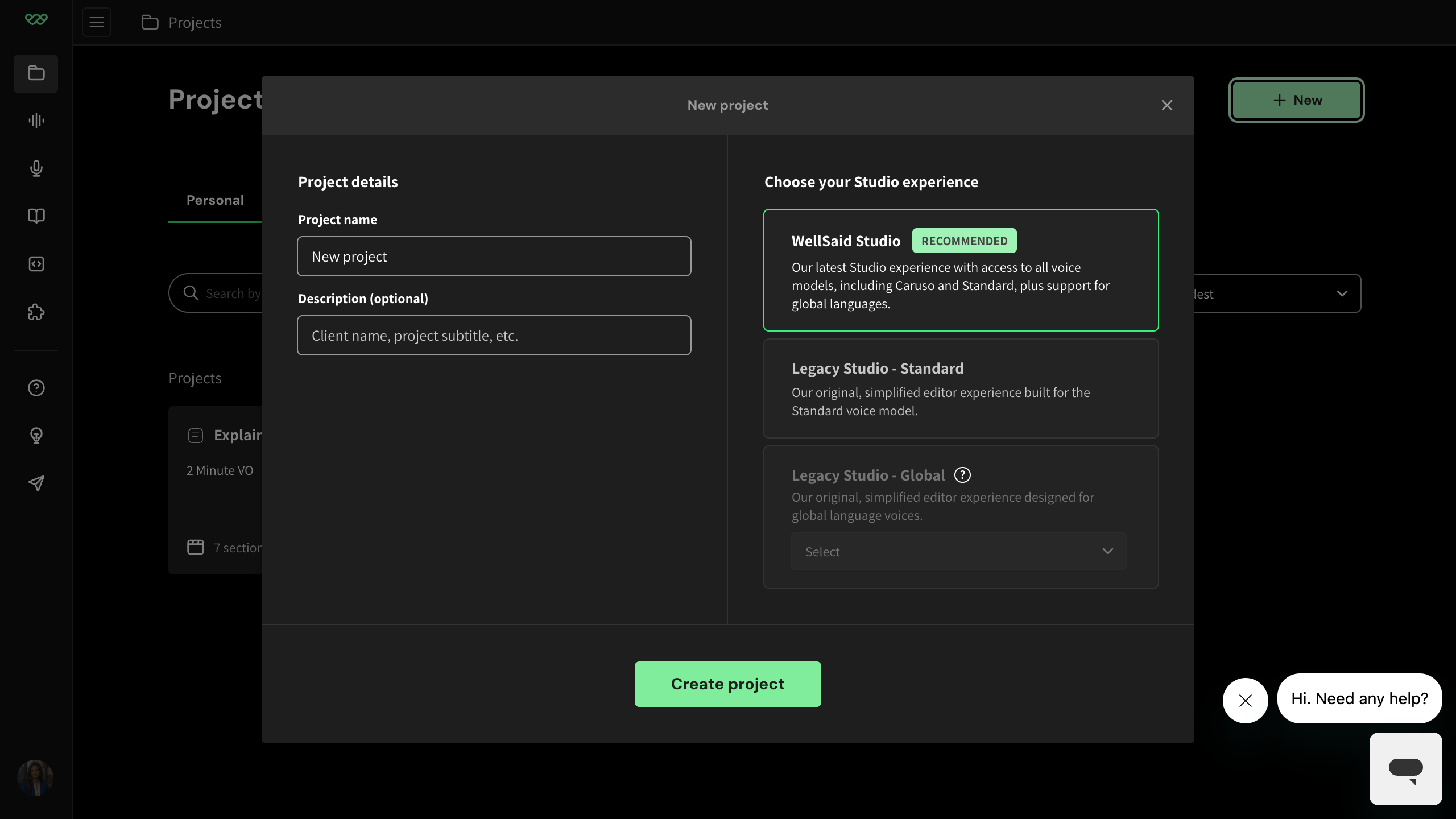
Article describes 'Click Create Workspace' and 'Add team members' in title/sentence case; current UI per refs uses sentence case (e.g. '+ New', 'Create project')
Reference new-project-modal uses title-case 'Create project' CTA, not uppercase. The screenshot's uppercase button style is older UI styling.
Legacy clip rows shown with all-caps 'CREATE' button (title case in current)
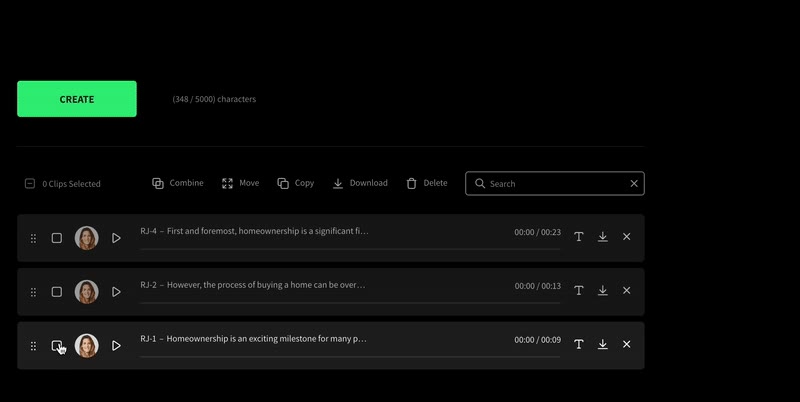
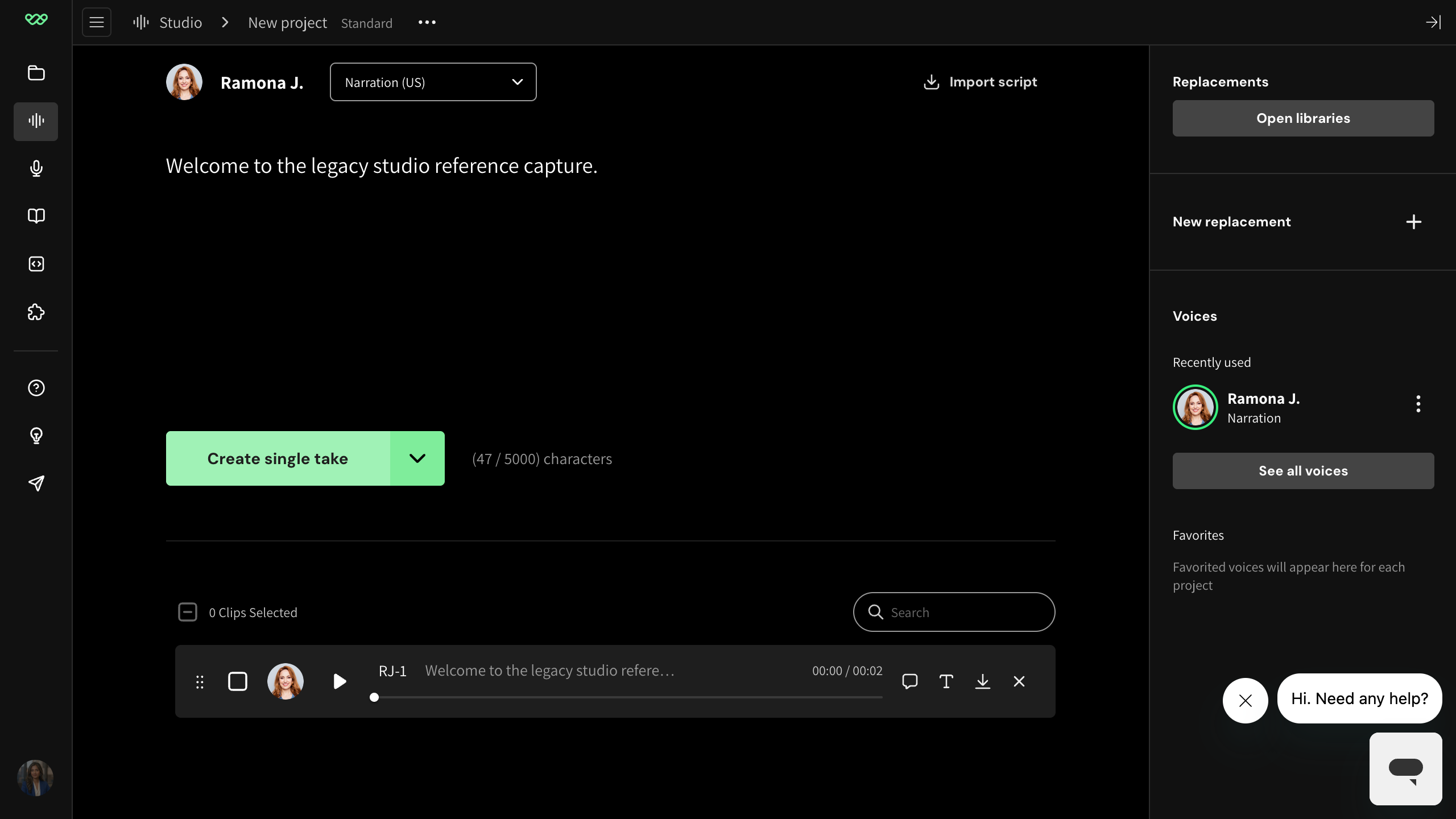
Legacy Standard's primary CTA is now title-case 'Create single take' with a dropdown caret (per legacy-standard-editor ref); the button still exists so this is a minor case-drift only.
Per rubric DOWNGRADE/DROP: 'CREATE SINGLE TAKE button (exists as title-case Create single take in Legacy — minor case drift, not removal)'. Flow/toolbar otherwise matches legacy-standard-clip-row ref.
Pre-redesign WellSaid Studio editor (missing flag/language, 'Swap voice' rail header, 'Caruso' mode tag in breadcrumb)
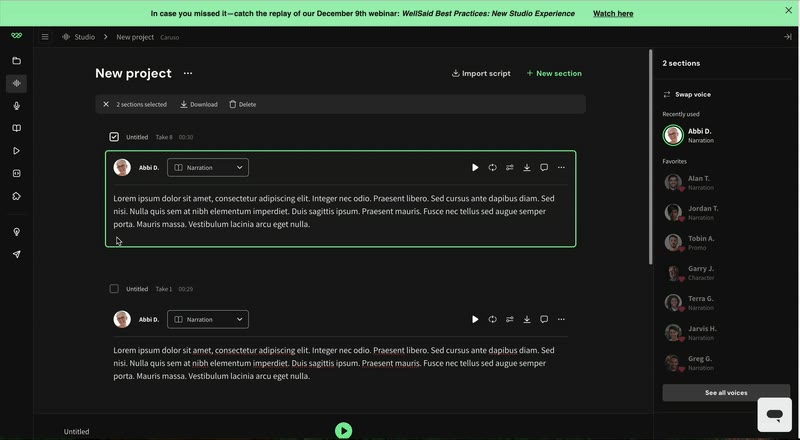
Current WellSaid Studio section rows show voice + country flag + language label + model dropdown (editor-with-voice ref); right rail shows 'Project > Replacements + Voices' (right-rail-voices ref); breadcrumb is just 'Studio > New project' without a Caruso tag
editor-with-voice ref shows 'Selene R. | flag | English (United States) | Narration (Caruso)'. This screenshot's section row lacks flag+language. right-rail-voices ref does not include a 'Swap voice' header.
Workspace modal shows old all-caps buttons 'ADD TEAM MEMBERS' / 'CREATE WORKSPACE'
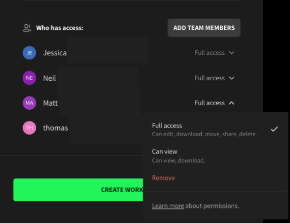
Current UI uses sentence case ('Add team members', 'Create workspace'); article body text is already sentence-cased ('click Add team members')
Article says 'click Add team members and select their access level'; current Share/Workspace dialogs in reference imagery use sentence case (e.g. managing-team-permissions shows '+ Add team members')
Projects page uses 'Search Project or Client' placeholder
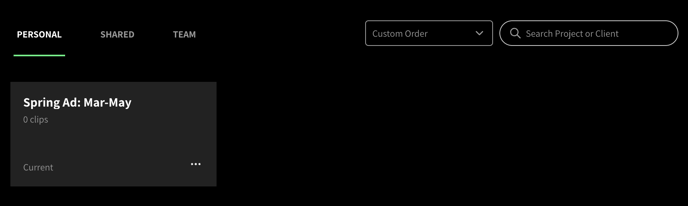
Current UI per projects-home ref uses left-rail workspace nav (not horizontal tabs) and 'Client' terminology has been replaced by 'Description'
Per rubric 'Client name' was renamed to 'Description'; the screenshot still uses the old 'Client' terminology in the search placeholder. Current projects home also no longer shows PERSONAL/SHARED/TEAM horizontal tabs.